> ## Documentation Index
> Fetch the complete documentation index at: https://docs.cloudcapital.co/llms.txt
> Use this file to discover all available pages before exploring further.
# In-App Assistant
> Ask questions about your cloud costs, forecasts, initiatives, and more using the Cloud Capital AI assistant.
The Cloud Capital AI assistant is a chat interface built into the Cloud Capital web app. It can answer questions about your cloud costs, forecasts, initiatives, billing, and business metrics — and it has awareness of the page you're currently viewing.
 ## Opening the assistant
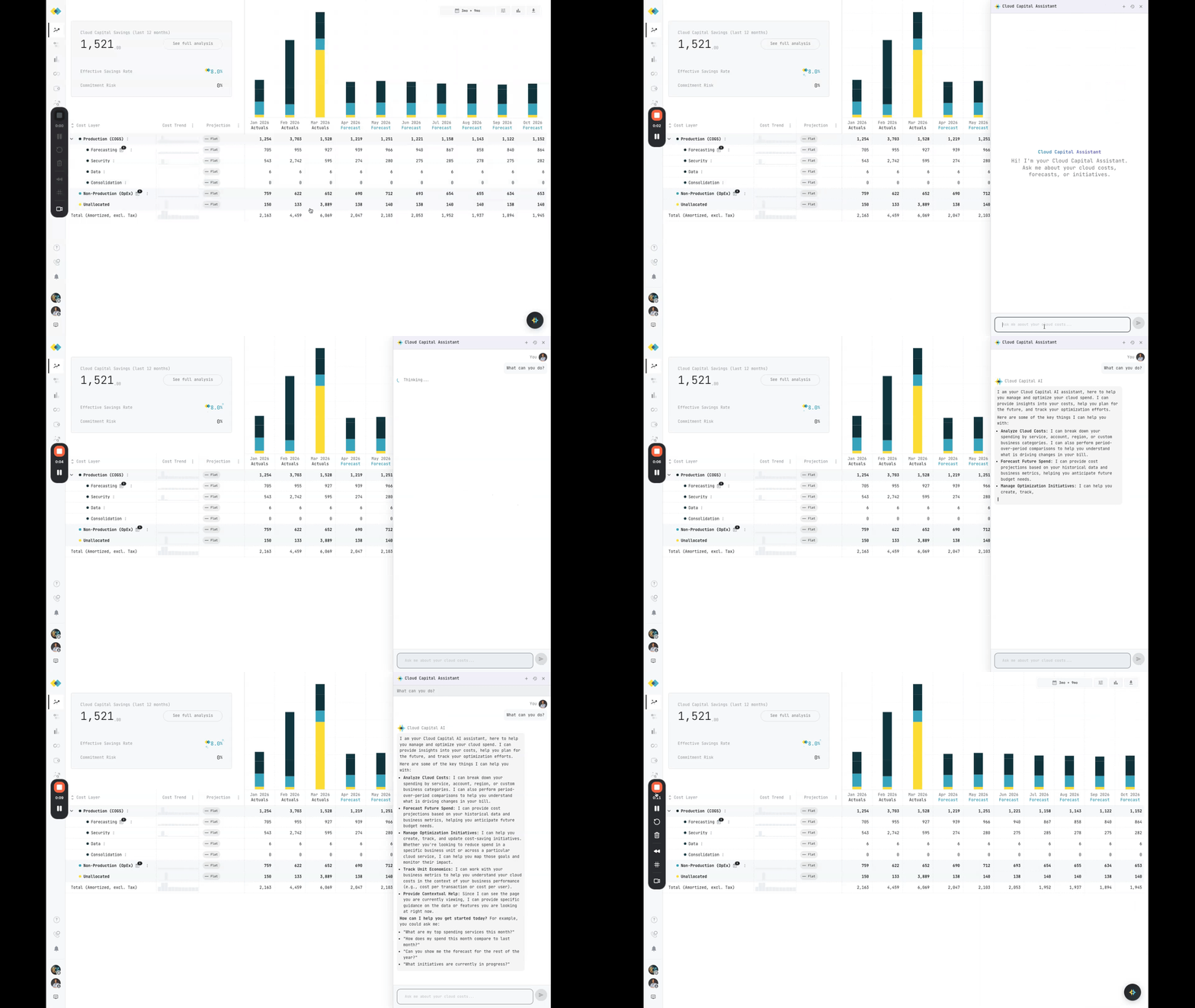
Click the floating chat button in the bottom-right corner of the app. A chat drawer opens on the right side of your screen.
## Opening the assistant
Click the floating chat button in the bottom-right corner of the app. A chat drawer opens on the right side of your screen.
 ## What you can ask
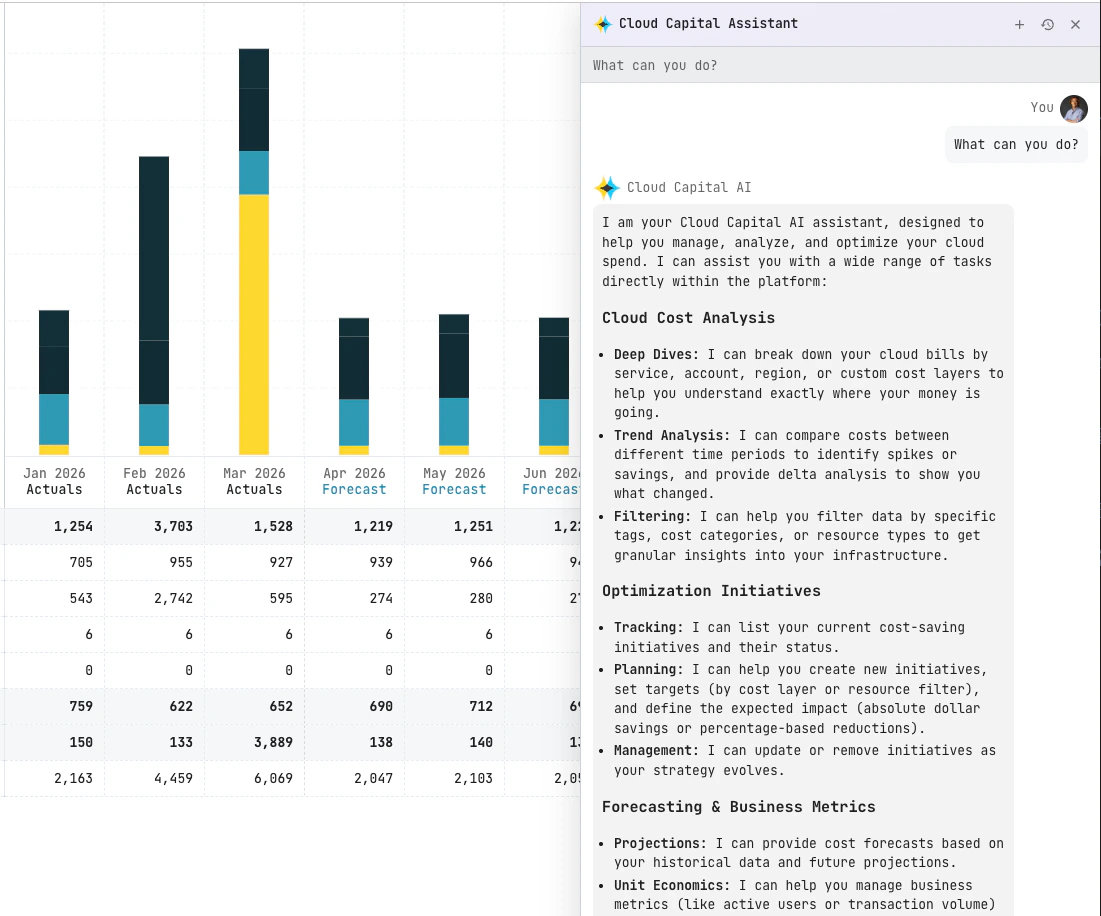
Here are some example prompts to get started:
* "What were our top 3 cost increases last month?"
* "Show me the forecast for the next 6 months"
* "Create an initiative to reduce EC2 costs by 15%"
* "Compare this month's spend to last month by service"
* "What cost layers are under Production?"
* "What business metrics are we tracking?"
## Capabilities
Query historical spend, compare periods, and break down costs by service, account, region, or tags.
View projected costs and understand your cost layers.
Create, view, and manage cost optimization [initiatives](/forecasting/initiatives).
Track and manage unit economics [business metrics](/forecasting/business-metrics).
Review billing periods, summaries, and breakdowns.
The assistant can see what page you're on and reference it in answers, so you can ask follow-up questions about what you're looking at.
## Managing conversations
* Click **New conversation** to start a fresh chat.
* Use the history toggle to view past conversations.
* Each conversation maintains context, so you can ask follow-up questions without repeating yourself.
## Notes
The assistant can only access data within your current organization.
* If you don't see the chat button, contact your Cloud Capital representative to have it enabled.
* Available capabilities may vary depending on how your organization is configured.
* The same tools available in the chat assistant are also accessible through the [MCP server](/ai/mcp-server) for use in external AI tools.
## What you can ask
Here are some example prompts to get started:
* "What were our top 3 cost increases last month?"
* "Show me the forecast for the next 6 months"
* "Create an initiative to reduce EC2 costs by 15%"
* "Compare this month's spend to last month by service"
* "What cost layers are under Production?"
* "What business metrics are we tracking?"
## Capabilities
Query historical spend, compare periods, and break down costs by service, account, region, or tags.
View projected costs and understand your cost layers.
Create, view, and manage cost optimization [initiatives](/forecasting/initiatives).
Track and manage unit economics [business metrics](/forecasting/business-metrics).
Review billing periods, summaries, and breakdowns.
The assistant can see what page you're on and reference it in answers, so you can ask follow-up questions about what you're looking at.
## Managing conversations
* Click **New conversation** to start a fresh chat.
* Use the history toggle to view past conversations.
* Each conversation maintains context, so you can ask follow-up questions without repeating yourself.
## Notes
The assistant can only access data within your current organization.
* If you don't see the chat button, contact your Cloud Capital representative to have it enabled.
* Available capabilities may vary depending on how your organization is configured.
* The same tools available in the chat assistant are also accessible through the [MCP server](/ai/mcp-server) for use in external AI tools.