

Time to complete: ~25 minutes
Integration Steps
Step 1: Connect a cost data source
- Who: Engineering / DevOps team
- Time to complete: ~10 minutes
- Required - Connect the source that holds the cost data you want Cloud Capital to forecast. Choose the matching guide:
AWS
Connect your AWS cost and usage data.
GCP (Beta)
Connect your Google Cloud cost and commitment data.
Claude API (Beta)
Connect Anthropic Console (Claude API) organization spend.
Claude.ai (Beta)
Connect Claude.ai Enterprise usage and seats.
OpenAI (Beta)
Connect OpenAI Platform organization API spend.
Cursor (Beta)
Connect Cursor Teams usage and seat spend.
Step 2: Map your Cloud Costs to Production/Non-Production
- Who: Engineering / DevOps team
- Time to complete: ~15 minutes
- View the Engineering Quickstart guide:
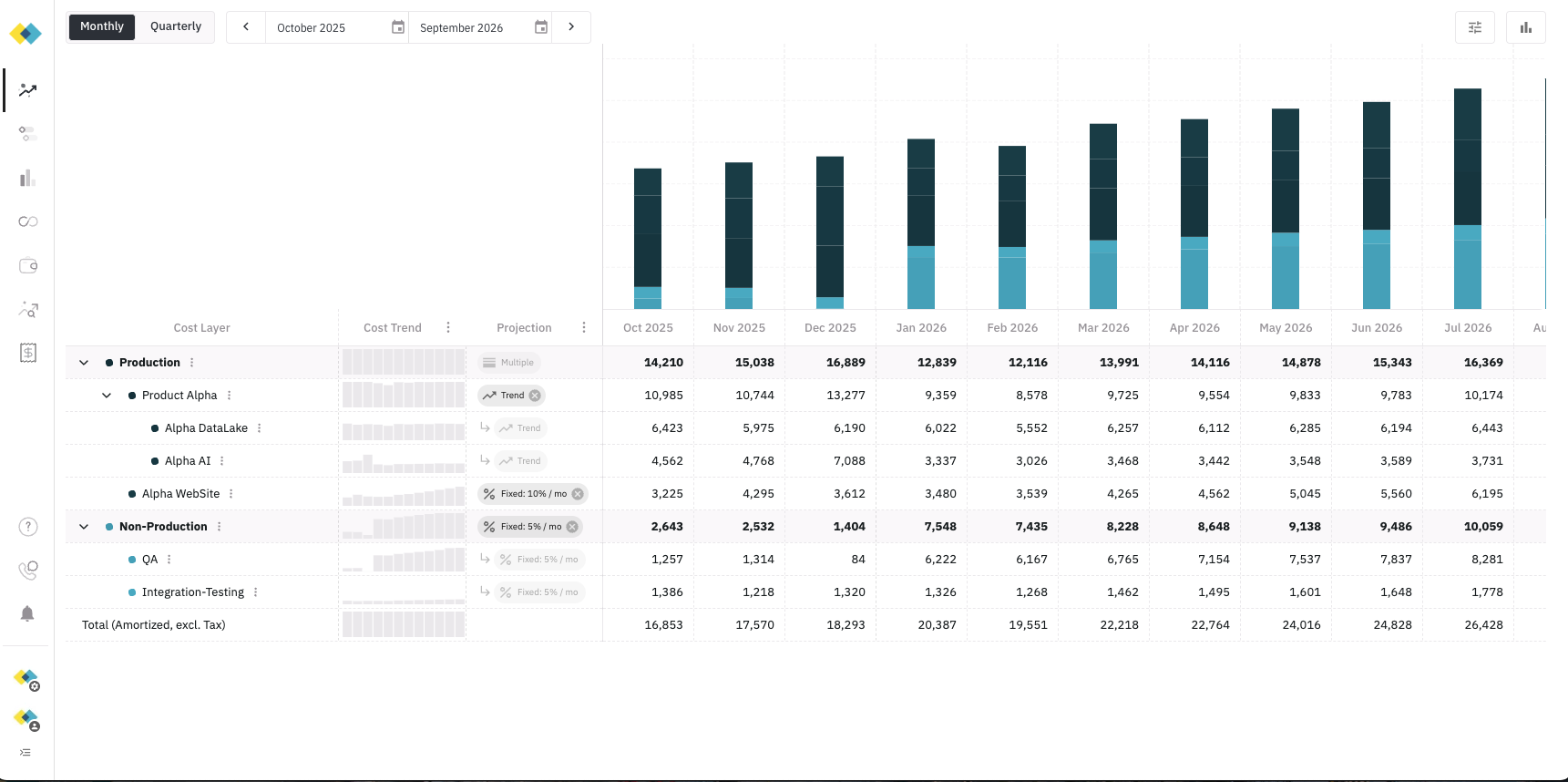
- Map Cloud Resources - Required for cloud infrastructure providers — Map your imported consumption data (Cloud Resources) to your Forecast’s Cost Layers. API and seat-based sources appear in forecasting and cost insights after nightly ingest; start there once data is present.