

The Savings Page
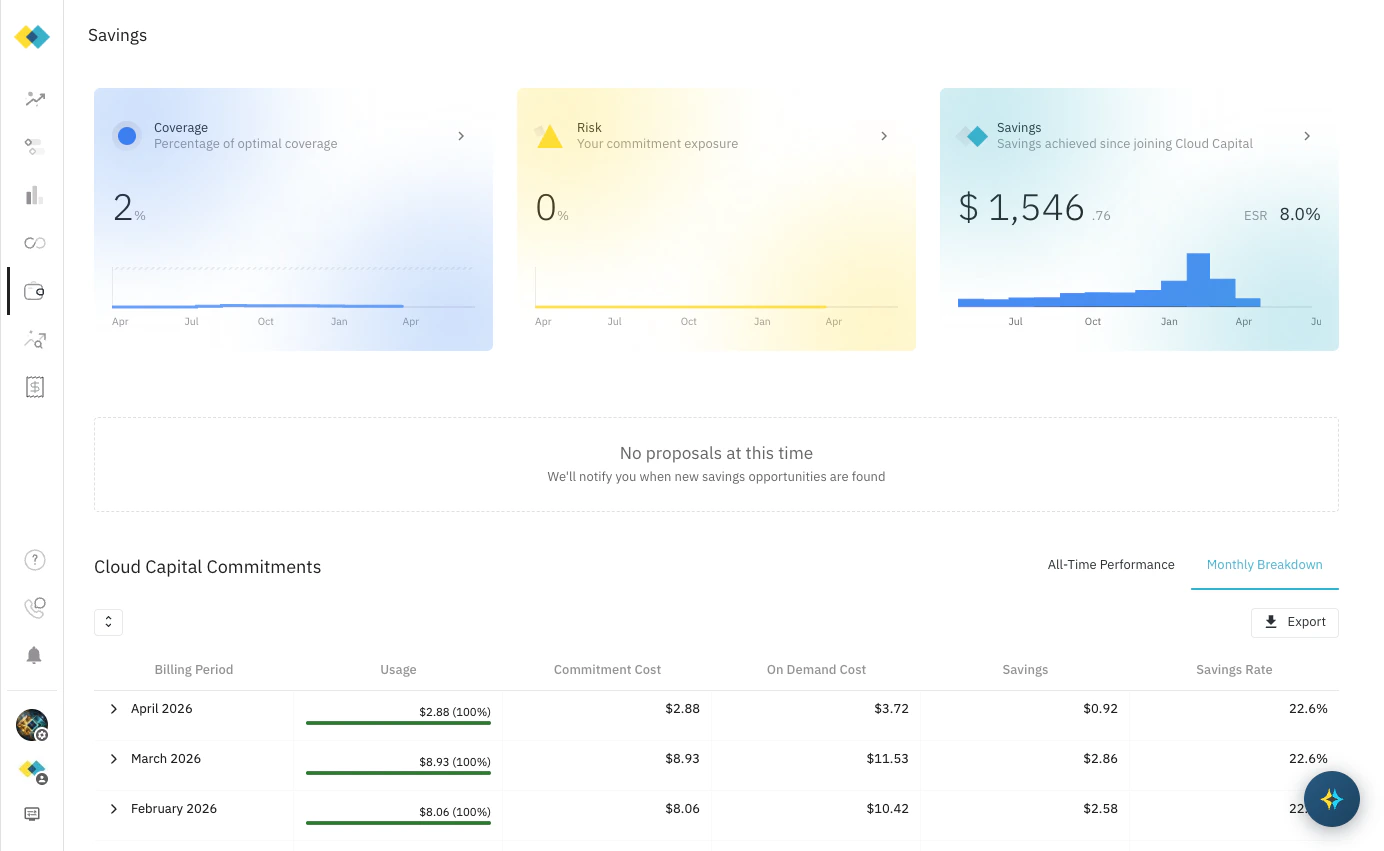
Navigate to Savings in the left sidebar to see your full savings summary. The page is organised into three areas:- Summary cards — a top-level view of your coverage, risk, and total savings
- Proposals — new savings opportunities identified by Cloud Capital
- Cloud Capital Commitments — a detailed table of all active and historical commitments with utilisation, cost, and savings data
Summary Cards
Three cards at the top of the page provide a real-time snapshot of your savings position:Savings Analysis Flyover
Click the arrow on the Savings card to open a detailed breakdown of where your savings come from. The flyover has two tabs.Cloud Capital Tab
Shows the savings directly attributable to Cloud Capital’s actions — commitments sourced and managed on your behalf, plus the platform discount.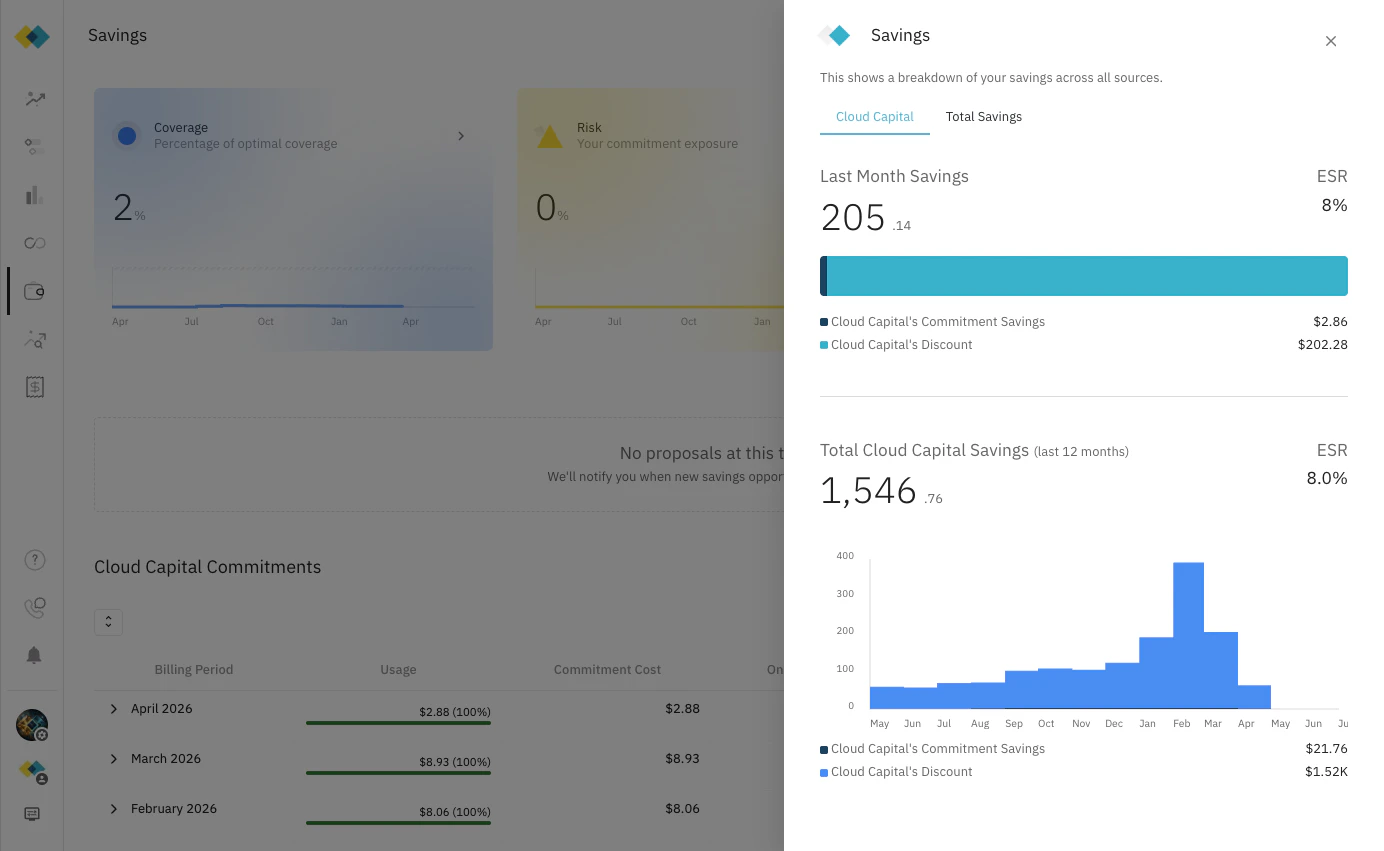
- Last Month Savings — what Cloud Capital saved you in the most recent billing period, with ESR
- Cloud Capital’s Commitment Savings — savings from Reserved Instances and Savings Plans that Cloud Capital sourced
- Cloud Capital’s Discount — the platform discount Cloud Capital applies to your infrastructure costs
- Total Cloud Capital Savings (last 12 months) — cumulative savings over the trailing 12-month window, charted by month
Total Savings Tab
Shows your complete savings picture across all sources, including commitments and discounts that pre-date your Cloud Capital engagement.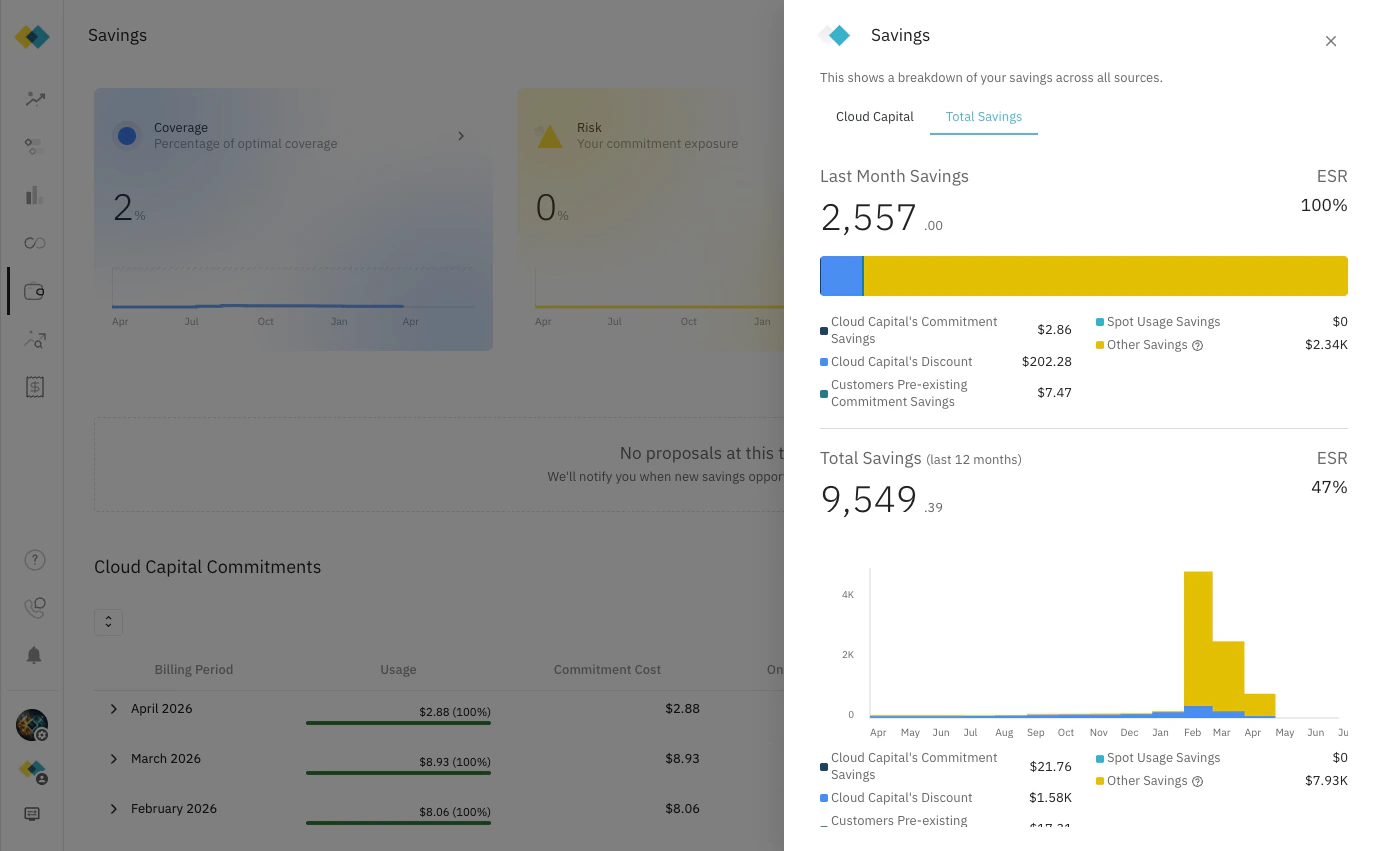
Effective Savings Rate (ESR)
The Effective Savings Rate (ESR) is the primary metric Cloud Capital uses to measure the efficiency of your cloud spend optimisation.ESR = Total Savings ÷ Total On-Demand CostIt answers the question: “Out of what you would have paid at full on-demand rates, what percentage are you saving?” An ESR of 8% means that for every dollar of on-demand-equivalent spend, you pay $0.92 and save $0.08. A higher ESR indicates more effective commitment coverage and discounting. The ESR shown on the Savings card and the Cloud Capital flyover tab reflects Cloud Capital’s direct contribution. The Total Savings tab shows the ESR across all sources combined — including pre-existing commitments, Spot, and other discounts.
Cloud Capital Commitments
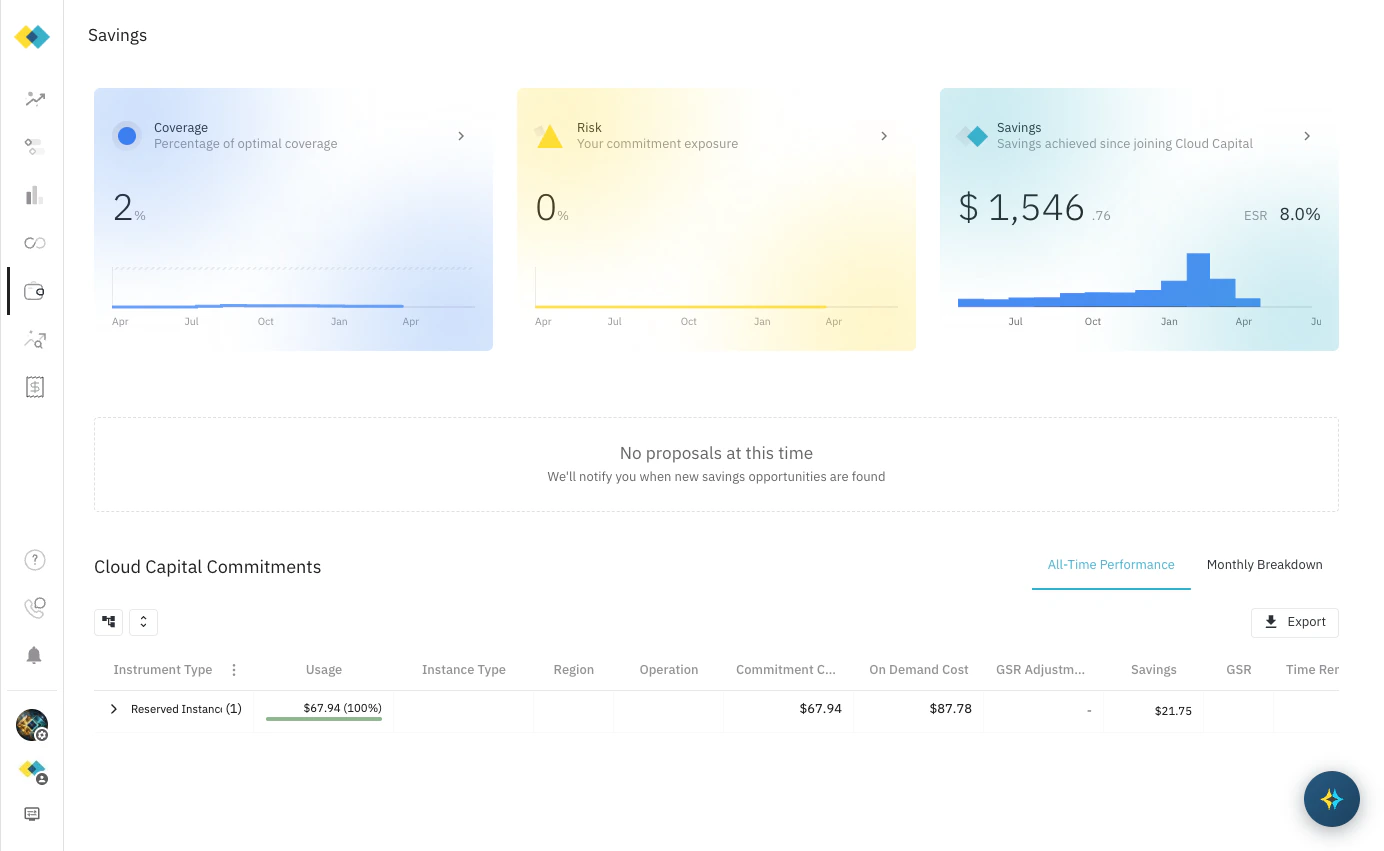
The Cloud Capital Commitments table shows the detailed record of all commitments in your portfolio. Switch between two views using the tabs at the top right.Monthly Breakdown
A month-by-month view of commitment performance. Each row covers one billing period:All-Time Performance
Reporting
Cloud Capital provides regular savings reporting to help you and your finance team track progress:- Monthly Reviews — a shared view of savings realised over the prior month, covering ESR, utilisation, and any commitment changes. All customers receive monthly review access.
- Quarterly Business Reviews (QBRs) — a deeper performance review for commitment customers, typically attended by finance, engineering, and executive stakeholders. QBRs cover cumulative savings to date, ESR trends, optimisation recommendations, and the roadmap for further commitment coverage. See Business Reviews (QBR / MBR) for details.
QBRs are available to commitment customers following the initial commitment ladder-up. If you’re not yet on a commitment plan, speak to your Cloud Capital account team about getting started with Cost Optimisation.